
Description
MTCNA TRAINING COURSE DESCRIPTION
MikroTik Certified Network Associate (MTCNA) course was designed to make students familiar with RouterOS software and RouterBoard products. After successfully completing the MTCNA Training in Lahore, students will be able to configure, manage, troubleshoot a MikroTik router and provide basic services to clients.
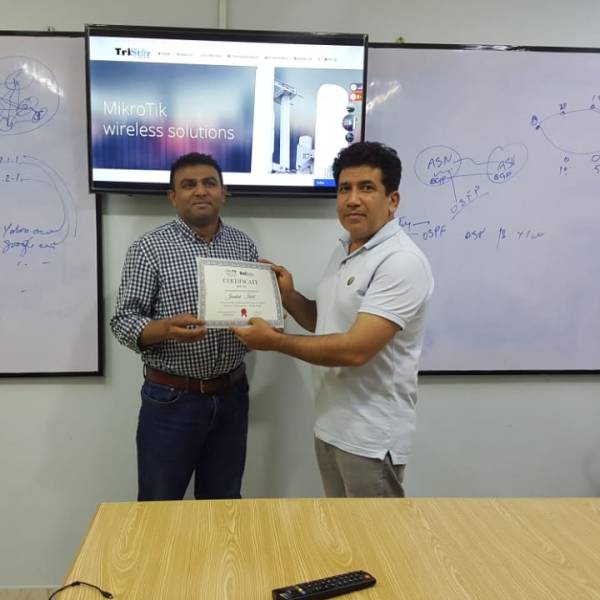
The MTCNA Training course includes 3 days of hands-on training and intense lab workshops. Those students who take the course and pass the examination at the end of the course will receive full certification from MikroTik.
Venue:
For Training Information
Rana Naveed Ahmad
+92 312 4478458
Requirements
The student must have a good understanding of TCP/IP and subnetting. If you not yet this prerequisites, you can take a basic course first before MTCNA Training.
This is FREE Course.
What is the target audience?
- This course is intended for anyone interested in learning MikroTik from basic.
- Network Engineer
- IT Network Infrastructure
- Freelancer
- Anyone who want to build the carrier in networking
By the end of this MTCNA Training in Lahore session, the student will be familiar with RouterOS software and RouterBoard products. He will also be able to configure, manage, do basic troubleshooting of a MikroTik router and provide basic services to clients
CURRICULUM MTCNA TRAINING
Section 0: Network Fundamentals
- History of Networking in details
- Networking types and Typologies
- History of OSI Model.
- in detail concept
- Internet Protocol and TCP model in Details
- What is Ethernet in actual ?
- Concept of MAC address in details
- Use of Ports in Networking in details
- What is IPv4 address and its usage in details
- IPv4 divisions in details
- IPv6 concept in short
- Networking hardware specification, usage and concept.
- Cabling, RJ45
- In the end of day 1, there will be a Network Fundamental test.
Section 1: Introduction to MikroTik RouterOS
- MikroTik History
- Why MikroTik ?
- How to ?
- Mission
- How to choose right device for your need indeed …..
- Types of MikroTik Hardware.
- How to use telnet, ssh, wibox, webfig, mac telnet, mac wibox and serial console
- Introduction MikroTik command line
- Architecture RouterBoard
- System packets introduction and management
- How to upgrade and downgrade MikroTik RouterOS
- Manage Router User
- Manage User Privilege
- Manage RouterOS services
- Binary and script backup
- Saving and reload backup
- Automatic backup
- Editing export file
- Level of license
- Differential features
- How to use license key
- Using Netinstall
- Reinstall RouterBoard
- Reset Router
Make simple topology to using MikroTik router to connect between LAN and WAN, using features:
- DHCP Client
- Default Gateway
- NAT Masquarade
Section 2: MikroTik Firewall
- Understanding firewall filter rule in MikroTik
- RouterOS Firewall principles
- Connection State and Conenction Tracking
- Protecting the router
- Logging malicious traffic
- How to filtering traffic from outside
- How to filtering porn site
- How to filtering facebook access
- Address list feature
- SRC-NAT rule
- masquarade
- src-nat
- ST-NAT rule
- redirect
- dst-nat
- How to filtering traffic using NAT rule
- How to make ip private in our LAN visible from the outside
Section 3: MikroTik Wireless
- Understanding IEEE 802.11
- Wireless Band, Mode, Channel, Channel With, Tx/Rx, Signal Streght, etc
- Setup Access Point
- Setup Station
- Link Quality Measurement
- Bandwidth Test
- Access List and Connect
- Default Authenticate
- Default Foward
- Dynamic Key
- WPA-PSK (Pre-Shared-Key)
- WPA2-PSK
- Static Key
- WEP / Static Key
Nstreme and NV2
- Wireless scan
- Snooper
- Registration table
- Station Bridge
- Station Pseudobridge
- Station Pseudobridge Clone
- Station WDS
Section 4: Bridging
Bridging Concept
- Wireless Bridging
- STP/RSTP
Section 5: Routing
- Routing Concept
- Route Flags
- Creating routes
- Implementing static routing on simple network
Section 6: Tunnel
PPP Concept in Details
PPP behavior in MikroTik
- PPP Tunnel
- PPTP Tunnel
- L2TP Tunnel
- PPPOE Tunnel
Section 7: Quality Of Services
- Target Address
- Destinations
- Max-limit and limit-at
- Bursting
- How PCQ Work
- pcq-rate configuration
- pcq-limit configuration
- Interface traffic monitor
- Torch
- Graphs
- SNMP
Section 8: Network Management
- What is ARP?
- MikroTik RouterOS ARP table
- ARP Mode
- DHCP client
- Server setup
- Leases management
- DHCP-server network configuration
- Netwatch
- Ping, Traceroute
- Profiler (CPU load)
Exam
- On the last day of the training there will be an online exam of 60 minutes. (25 questions each.)
- The passing grade is 60%, if you pass the exam your certificate will be immediately available in your MikroTik account (PDF format)
- For those who score between 50-59%, will get a second chance. (Free of cost and the same day).
- Please try the example test in your www.mikrotik.com account to get a better picture about the online exam.
ABOUT INSTRUCTOR

Muhammad Zishan Shaukat
MikroTik Certified Trainer
He is no doubt one of the best MikroTik trainer in the world. Has license to teach:
MTCNA, MTCRE, MTCWE, MTCTCE, MTCUME, MTCIPv6E, MTCINE.